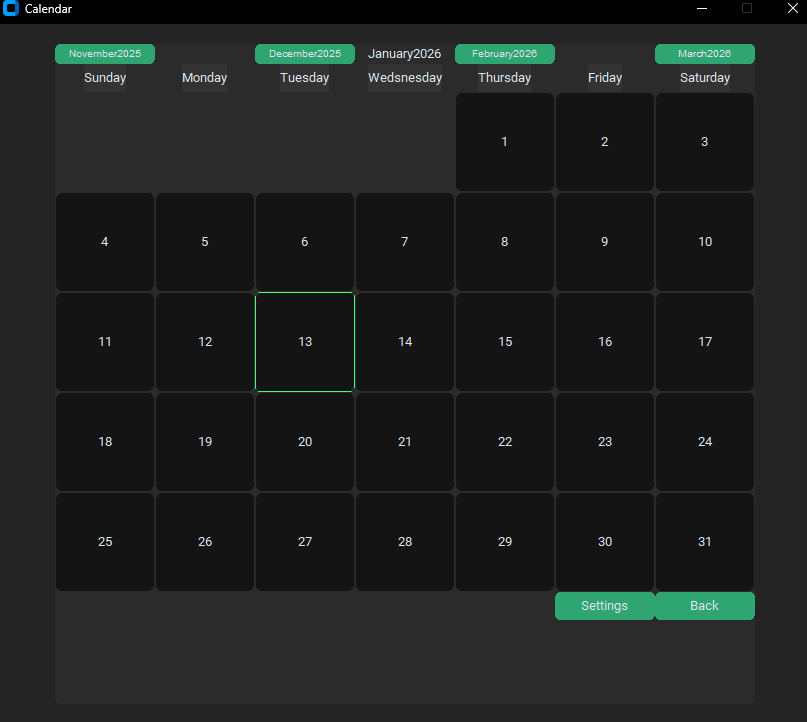
What Is This?
A desktop calendar app built with CustomTkinter. Click a day, write a note, it saves to a file. That's pretty much it.
This was an early project—I wanted to build something functional with a real UI, learn how GUI frameworks handle layout and state, and actually finish it. The code has some rough edges (there's a hardcoded login that does nothing useful), but it works.
The Calendar Grid
The month view uses Tkinter's grid layout. On render, it figures out what day of the week the month starts on, then fills in buttons for each day. Today gets highlighted automatically so you can spot it at a glance.
Navigation buttons let you jump forward or back by one or two months. Each jump recalculates the layout—how many days in the month, which column to start on—then rebuilds the grid.
Notes
Click any day and a text editor opens. If there's already a note saved for that date, it loads. If not, you get a blank slate. Hit save and it writes to disk.
Nothing fancy. Just a textbox and a save button.
Storage
Notes live as plain text files in a ./data/ folder, named by date. No database, no config files—just 2024, 3, 15.txt and similar.
This keeps things simple. You can open your notes in any text editor, back them up by copying a folder, or grep through them from the command line. The app creates the directory on first run if it doesn't exist.
The UI
CustomTkinter gives it a more modern look than stock Tkinter. There's a login screen (with hardcoded credentials—don't ask), a main menu, and the calendar view itself.
State transitions work by destroying all widgets and rebuilding from scratch. Not elegant, but straightforward.